Project 1
Inclusive Design: Transforming the Insurance Customer Journey
Employer
Gjensidige
Sector
Expertise
Date
Role & Collaboration -->
My role • Product Designer (Accessibility): owned accessibility workstream (audit-> recommendations-> design updates). • Responsible for screen-reader testing + accessibility QA; shared progress in team ceremonies Team • Health product team: Product Owner, ~6 developers, 1 UX designer, and 1 Content Designer. How we worked • Ran accessibility in parallel with the team’s Scrum cadence (ceremonies, prioritisation). • Handoff via annotated specs + WCAG/ARIA notes + acceptance criteria. • Validated on staging with keyboard + VoiceOver/NVDA.
The Problem -->
For customers using screen readers, the flow was difficult to complete without external help and a source of significant frustration that often resulted in dropped claims. Key accessibility barriers identified: • Screen readers skipped essential content. • Missing or incorrect semantic markup. • Confusing visual and informational hierarchy. • Inconsistent component behavior. • Poor keyboard and screen-reader navigation. These issues made the customer journey hard to complete, especially for visually impaired users.
Initial Accessibility State
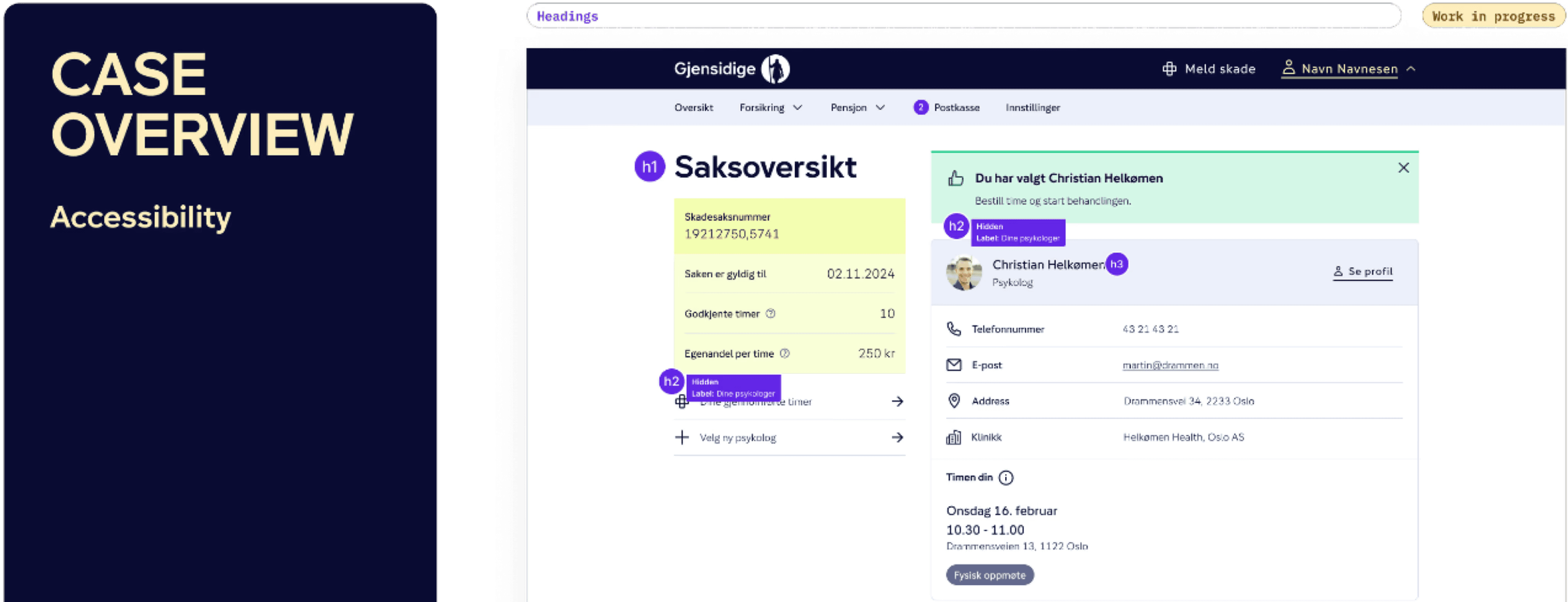
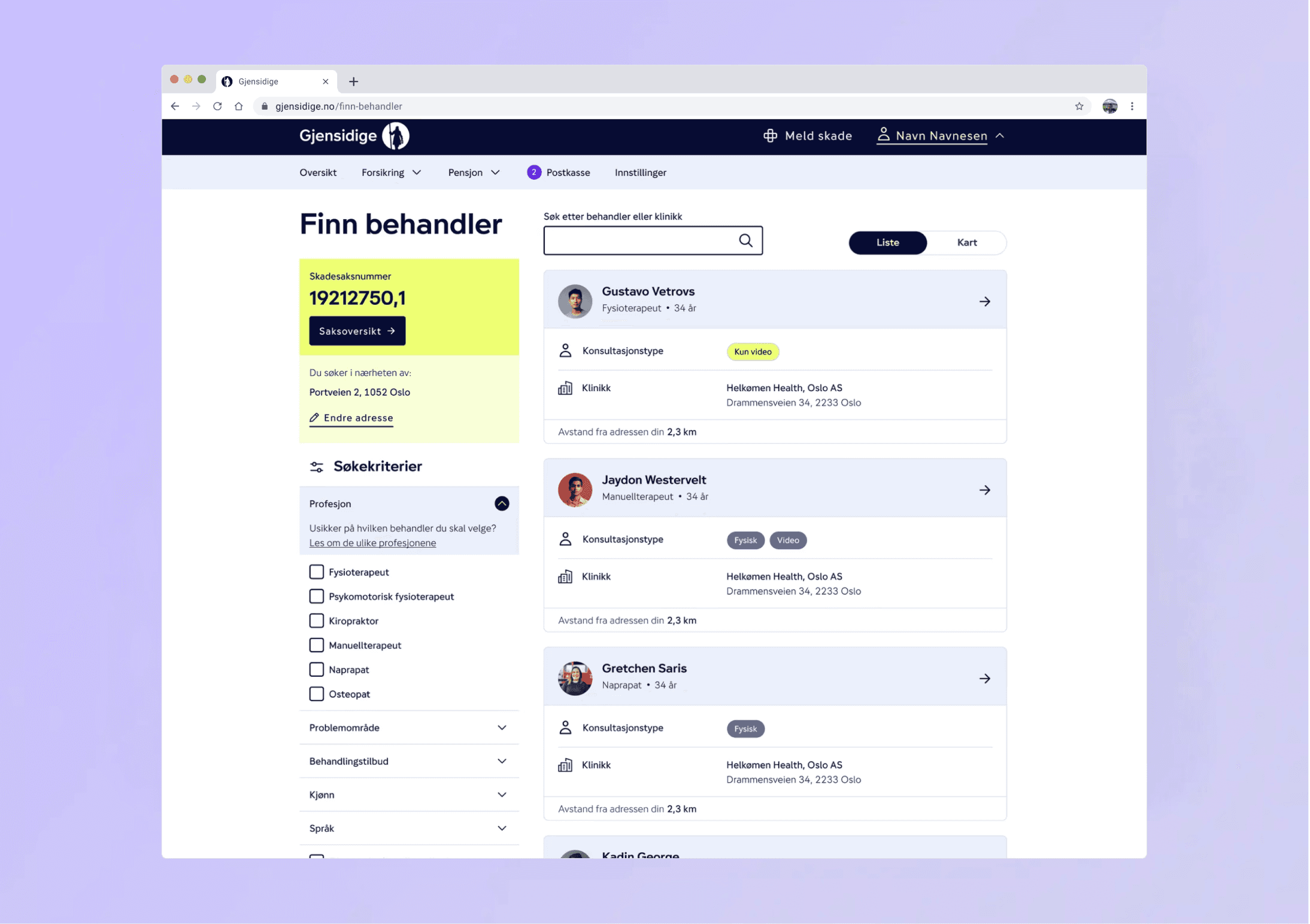
Illustration of the original therapist profile view, highlighting key issues like missing semantic markup, unclear content structure, and limited screen-reader support in the existing flow.
My Process -->
User Insight • Initiated the process with a comprehensive internal accessibility review of the flow. • Conducted targeted screen-reader testing (VoiceOver, NVDA) across key platforms. • Performed a detailed structural and semantic review of the existing flow's markup. Findings • Discovered incorrect semantics, including misused ARIA and flawed heading hierarchy. • Identified unclear navigation and missing focus order for keyboard users. • Found that help texts and instructions were read in an unpredictable and illogical sequence. • Noted that visually simple components were technically inaccessible to assistive technology. Solution • Implemented improved semantics, hierarchy, and screen-reader logic (WCAG compliant). • Clarified language and help texts for better sequential reading and comprehension. • Redesigned navigation for a linear, predictable flow. • Produced before/after docs with WCAG-based technical recommendations for developers. Iteration • Maintained close, cross-location collaboration with the development team (Scrum). • Conducted accessibility testing immediately after each implementation. • Refined the design based on real-time screen-reader behavior and internal UX review.
Discovery: Semantic Review & Auditing
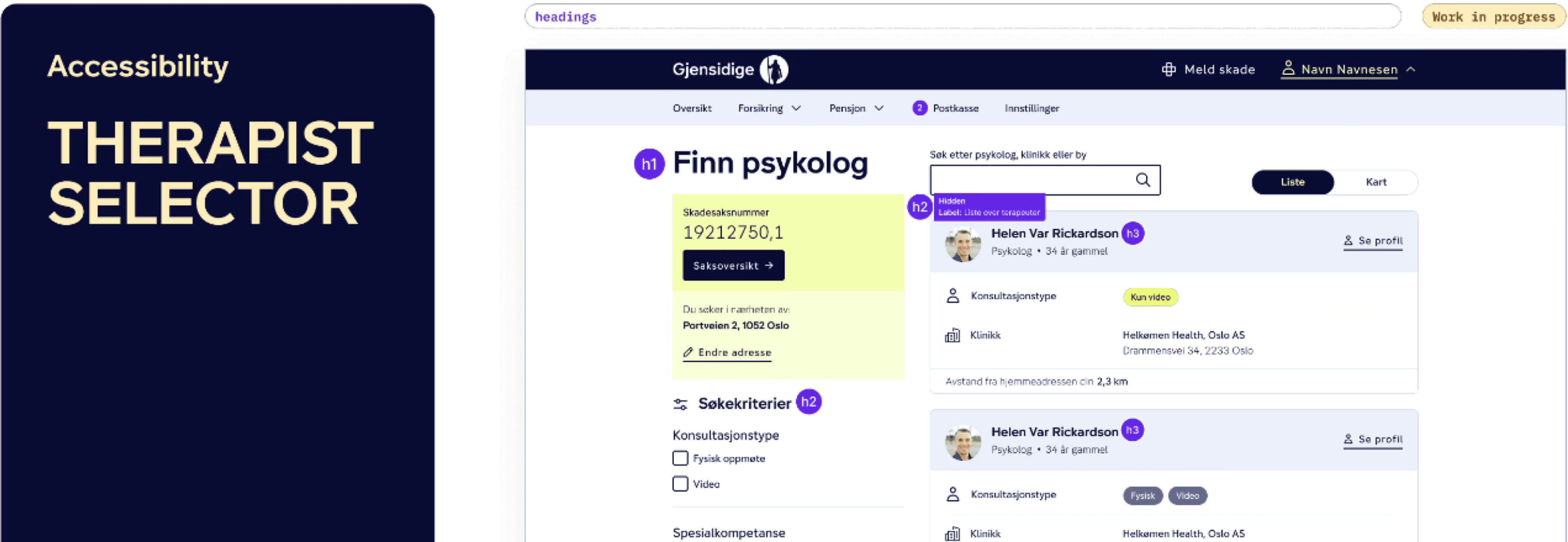
Screen-reader annotations (showing heading levels, skipped content, and missing structural elements) used to map accessibility barriers and understand the assistive technology experience.
Discovery: Keyboard Navigation & Focus Order
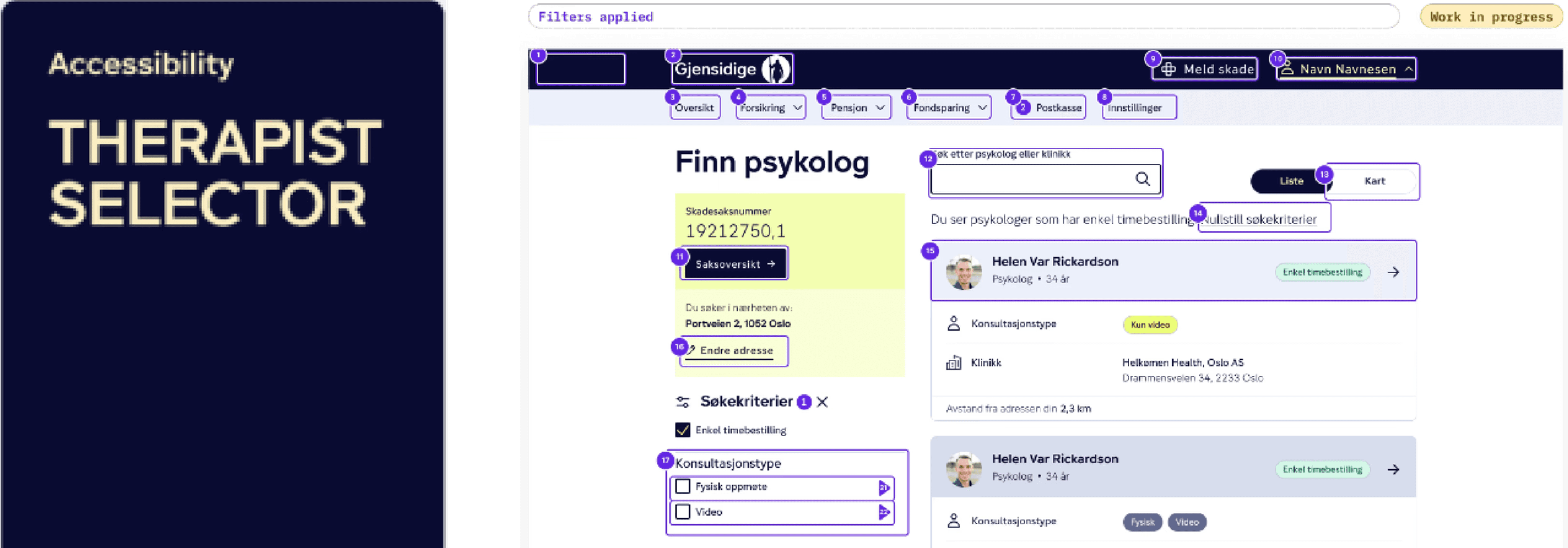
Annotated interface highlighting incorrect heading hierarchy (H1-H6), illogical focus order, and confusing component behavior identified during keyboard and screen-reader testing.
Outcome -->
• Delivered a WCAG-compliant, fully accessible (screen-reader and keyboard) flow. • Achieved a clearer semantic structure and significantly easier navigation. • Reduced user friction and minimized misunderstandings for critical tasks. • Improved internal alignment and established clear, reusable accessibility guidelines for developers.
Solution: Accessible Dialog/Modal Design
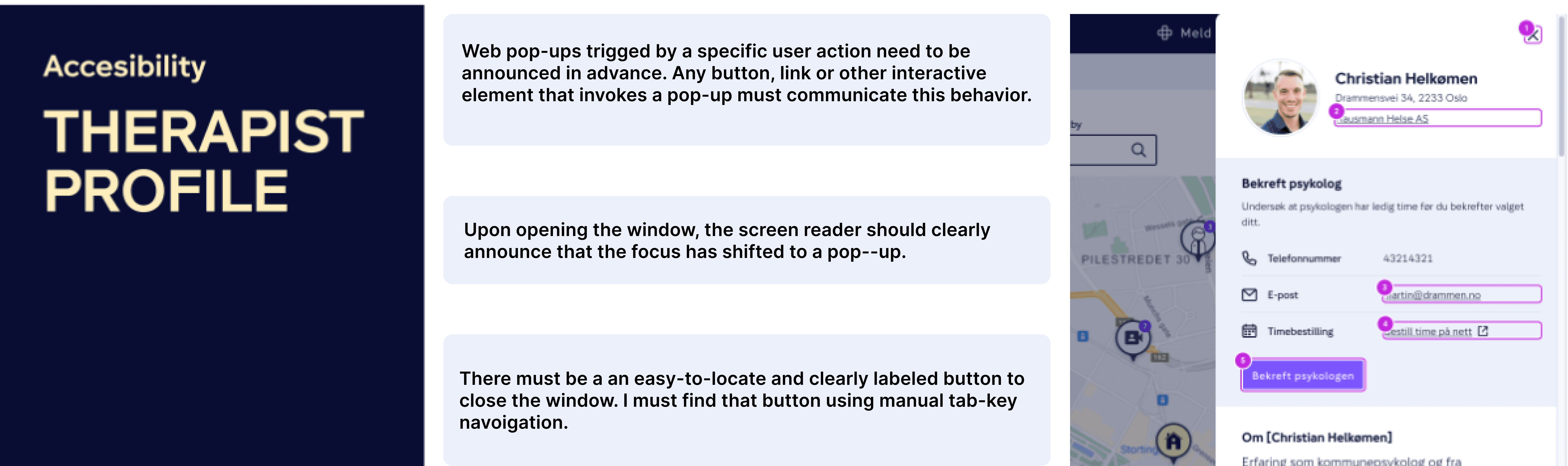
Redesigned modal component featuring clear focus trapping/management, labeled controls, and improved semantic structure to ensure predictable and reliable navigation with screen readers and keyboards.
Solution: Enhanced Control Accessibility
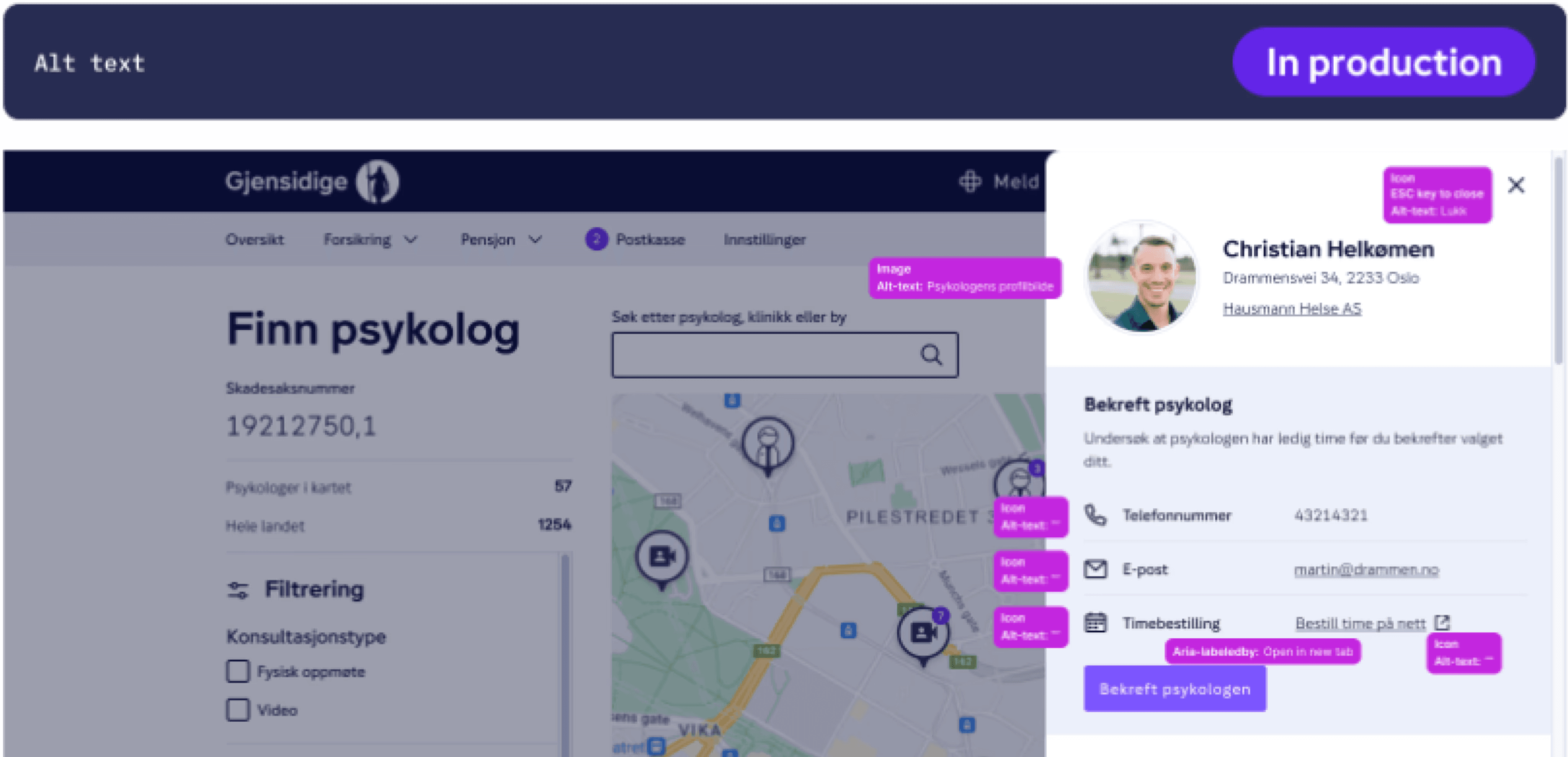
Updated therapist confirmation screen utilizing explicit ARIA labels, appropriate alt text, and clear focus rules, ensuring all interactive controls are discoverable and fully operable with assistive technology.
This project strengthened my skills in: • Mastering in-depth accessibility auditing and identifying complex screen-reader barriers. • Expertise in improving semantic structure for predictable and reliable screen-reader navigation. • Effective remote collaboration with cross-functional development teams (Scrum). • Translating accessibility UX findings into concrete, actionable WCAG-aligned technical specifications. If I were to take this further, I would involve visually-impaired customers directly in moderated testing sessions to validate improvements beyond internal reviews.