Project 5
Digital Transformation: Streamlining Sheet Music Creation for Instructors
Employer
Dissimilis
Sector
Expertise
Date
Role & Collaboration
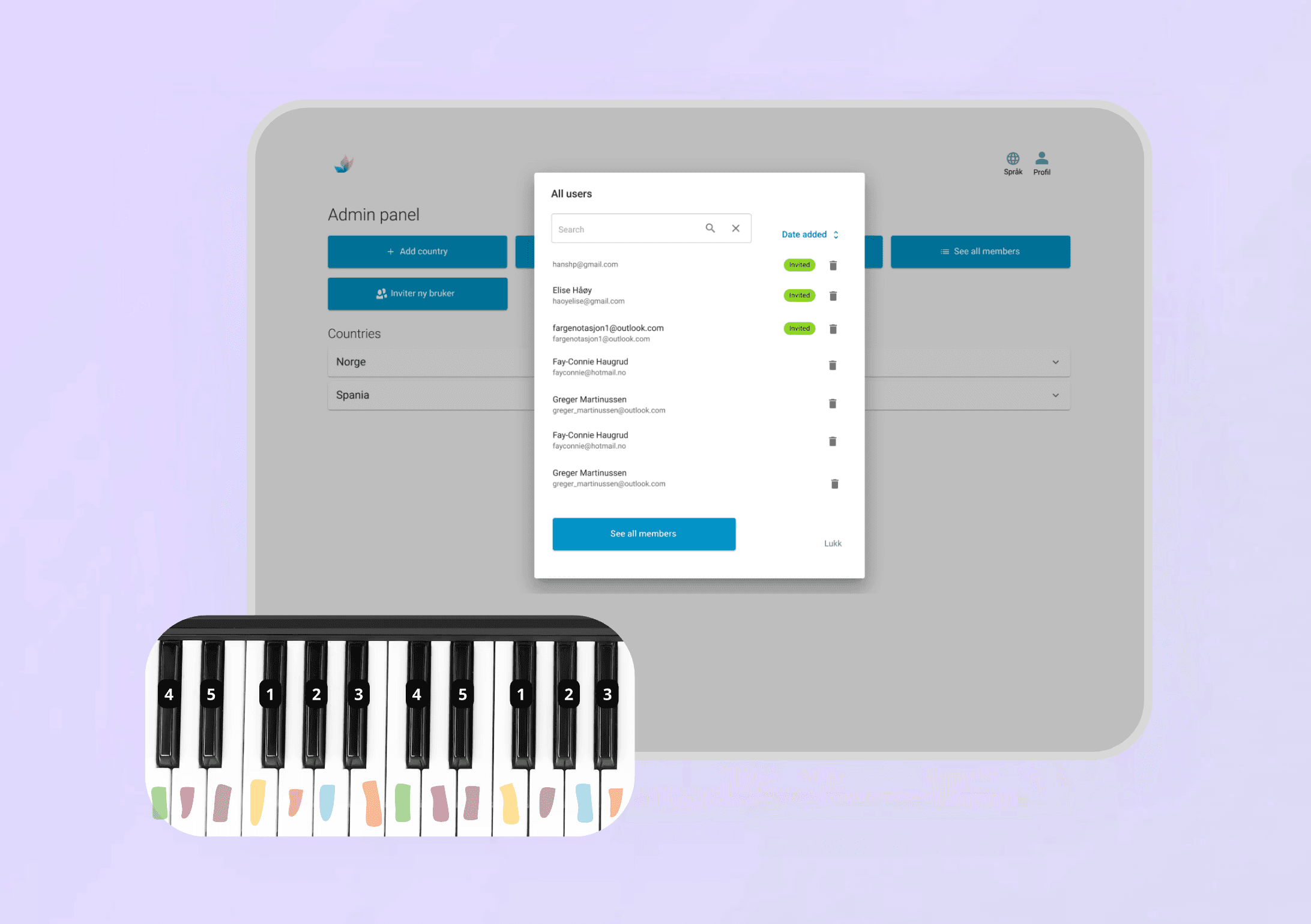
My role • UX/UI Designer in a cross-functional team. Focused on redesigning the admin panel, navigation, and core creation flow (color notation + MIDI) to reduce complexity and training dependency. Team • 3 designers (two UX/UI, 1 Service Designer), ~10 developers, and 1 Product Owner. How we worked • Scrum-based delivery in 2-week sprints, with shared backlog and user stories. • Continuous design–dev collaboration through sprint rituals, design reviews, and iterative testing with instructors.
The Problem-->
Prior to the digital overhaul, the manual process was a major bottleneck, leading to high administrative load and operational errors. Core Workflow & Usability Failures: • Laborious manual creation of color-coded sheet music. • MIDI recording was fragmented, requiring external, non-integrated tools. • A confusing administration panel that frequently led to user errors and data inconsistency. • Low tool discoverability and excessive training dependency for core functions. • Unintuitive structure and navigation that hampered workflow progress. Collectively, these issues consumed valuable teaching time, dramatically increased the rate of error, and resulted in a slow, inflexible instructional workflow.
Initial State: Manual Workflow Mapping
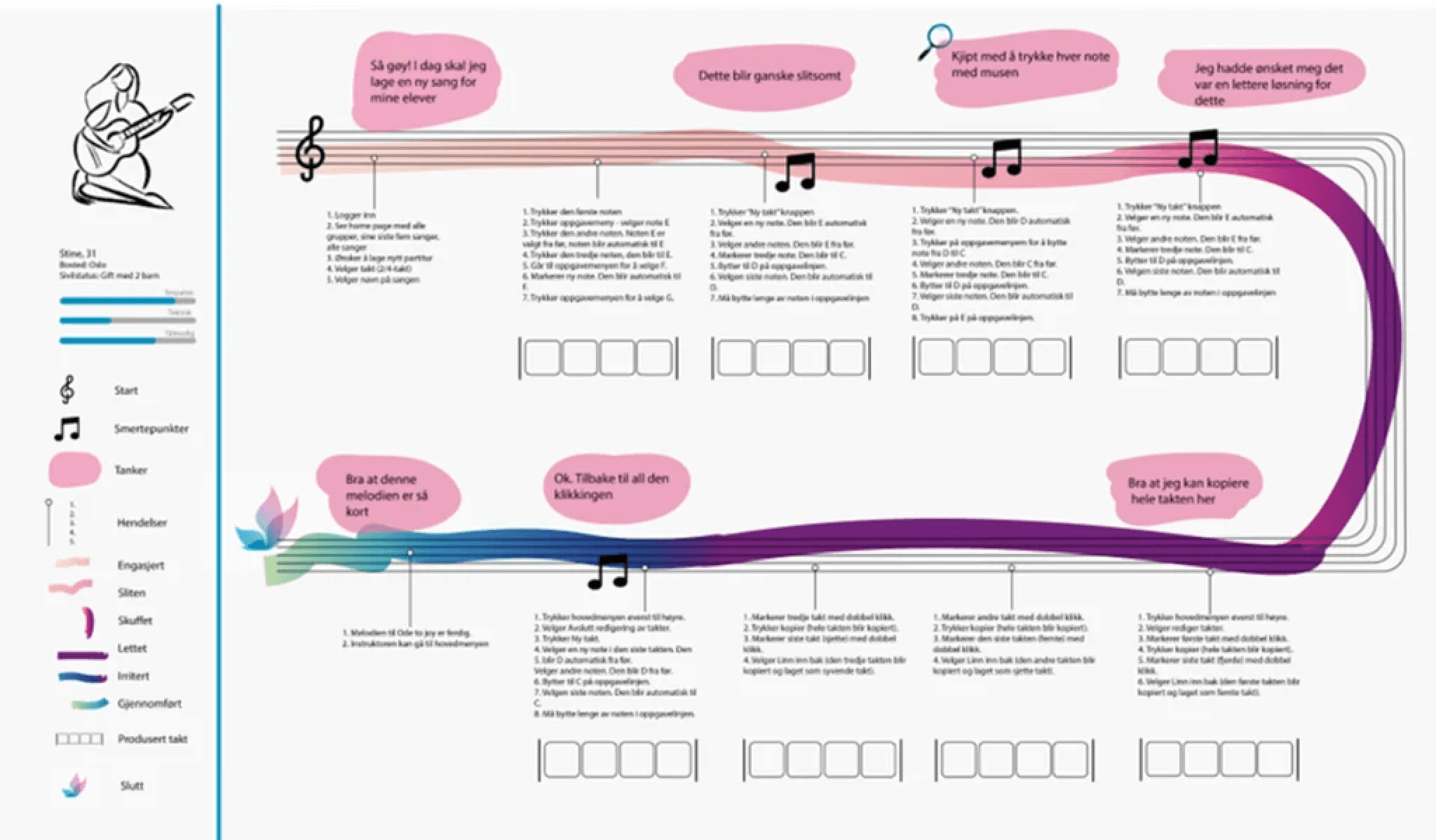
A detailed workflow map visualizing the complex manual sheet-music creation process. This visual highlights long sequential steps, high operational complexity, and repeated friction points caused by manual actions.
My Process -->
User Insight • Conducted in-depth interviews and workflow workshops with 4 lead instructors. • Immersive observation of real teaching sessions to capture contextual workflow challenges. • Baseline usability testing of the existing solution to identify core friction points. • Detailed task flow mapping for core functions: MIDI recording, playback, and color notation. Findings • Admin panel was perceived as "chaotic," lacking structure and clear role definition. • Significant struggle with content discoverability and tool location. • The existing color notation system was cognitively complex and difficult to interpret. • The MIDI workflow was fragmented and confusing, relying heavily on external tools. • The interface was not self-explanatory, requiring excessive training for proficiency. Solution • Designed a new visual identity with clear icons, hierarchy, and a simplified structural logic. • Redesigned the admin panel to align with role-based logic and workflow efficiency. • Simplified and clarified the digital color notation system • Integrated a new, seamless tool for direct MIDI keyboard recording. • Streamlined the music creation flow with strategic, optimized placement of core functions. Iteration • Conducted multiple rounds of iterative testing with instructors. • Strategically relocated and simplified the sheet-creation toolbar based on user feedback. • Redesigned the MIDI recording module after initial test failures to ensure stability and usability. • Maintained continuous collaboration with a 7-person development team via Scrum. • Utilized daily sparring and sprint reviews to ensure quick correctional design iterations.
Discovery: Immersive Research & Task Analysis
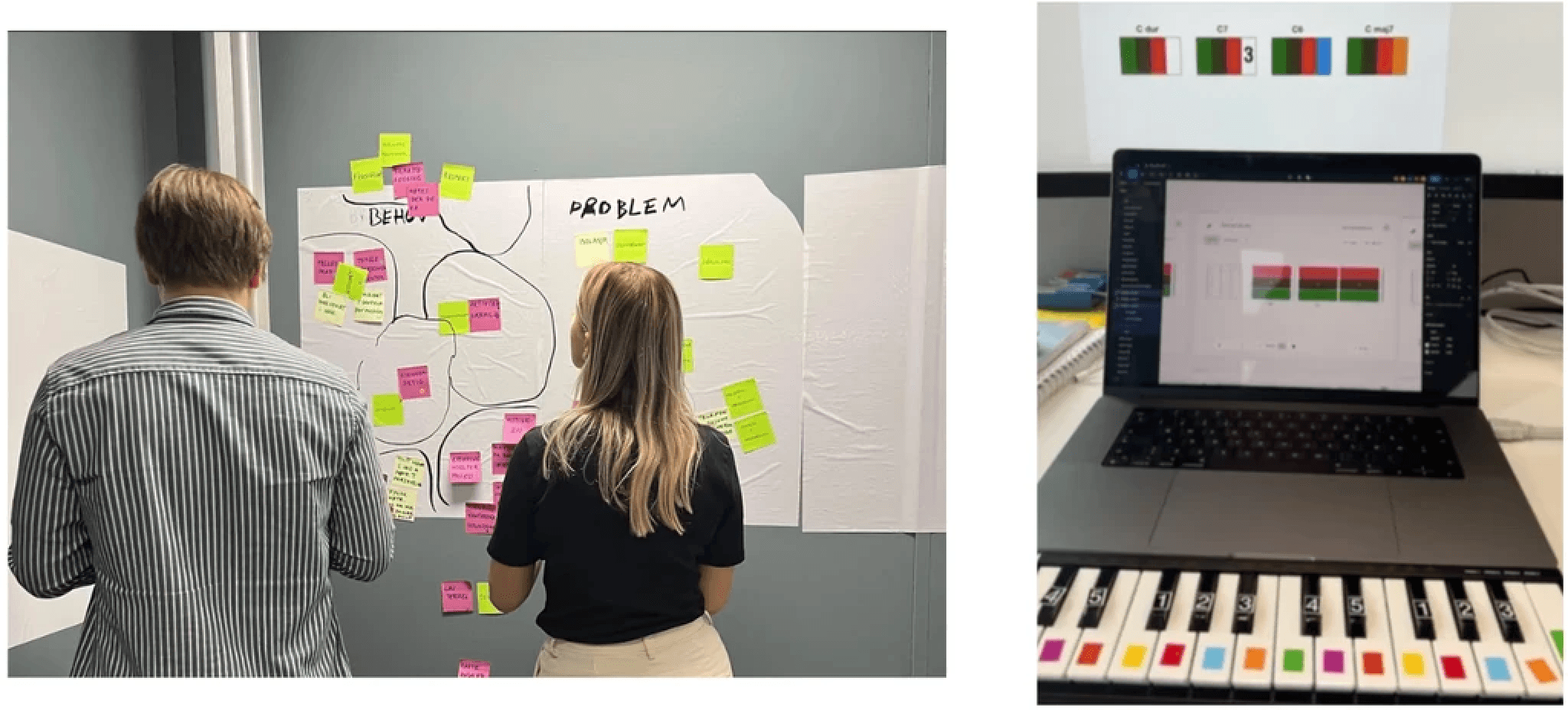
Captures the insight phase, featuring workflow mapping and direct observation of teaching sessions. This research documented precise user needs, pain points, and informed the redesign of early color-notation tools.
Iteration: Before/After Structural Simplification

A side-by-side view comparing the original tool interface with early redesign sketches. The visuals demonstrate major structural simplifications, clearer hierarchy, and the results of iterative refinement after initial testing.
Outcome -->
• Achieved a significantly faster and highly intuitive music creation workflow for instructors. • Reduced manual effort and eliminated paper dependency through digital color notation. • Successfully implemented first-ever direct, in-app MIDI recording capability. • Delivered a clearer information structure and navigation that minimized user errors. • The final tool was well-received, adding workflow flexibility and reducing required user training.
Outcome: Final Digital Workflow & Product
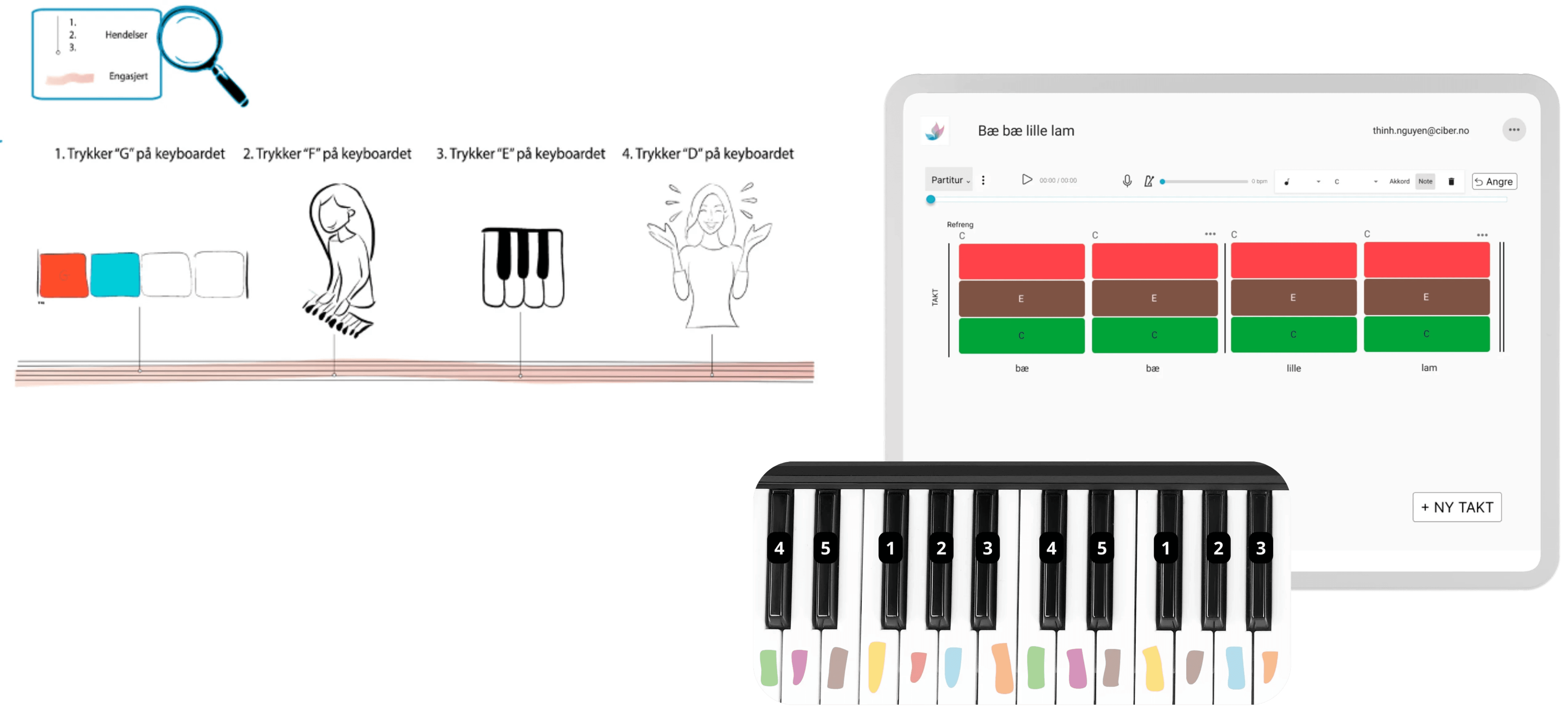
The redesigned tool showing the final digital score interface, featuring direct MIDI keyboard support, playback, and metronome. The new workflow is faster, highly intuitive, and drastically reduces manual effort for instructors.
Visual Identity and Design System
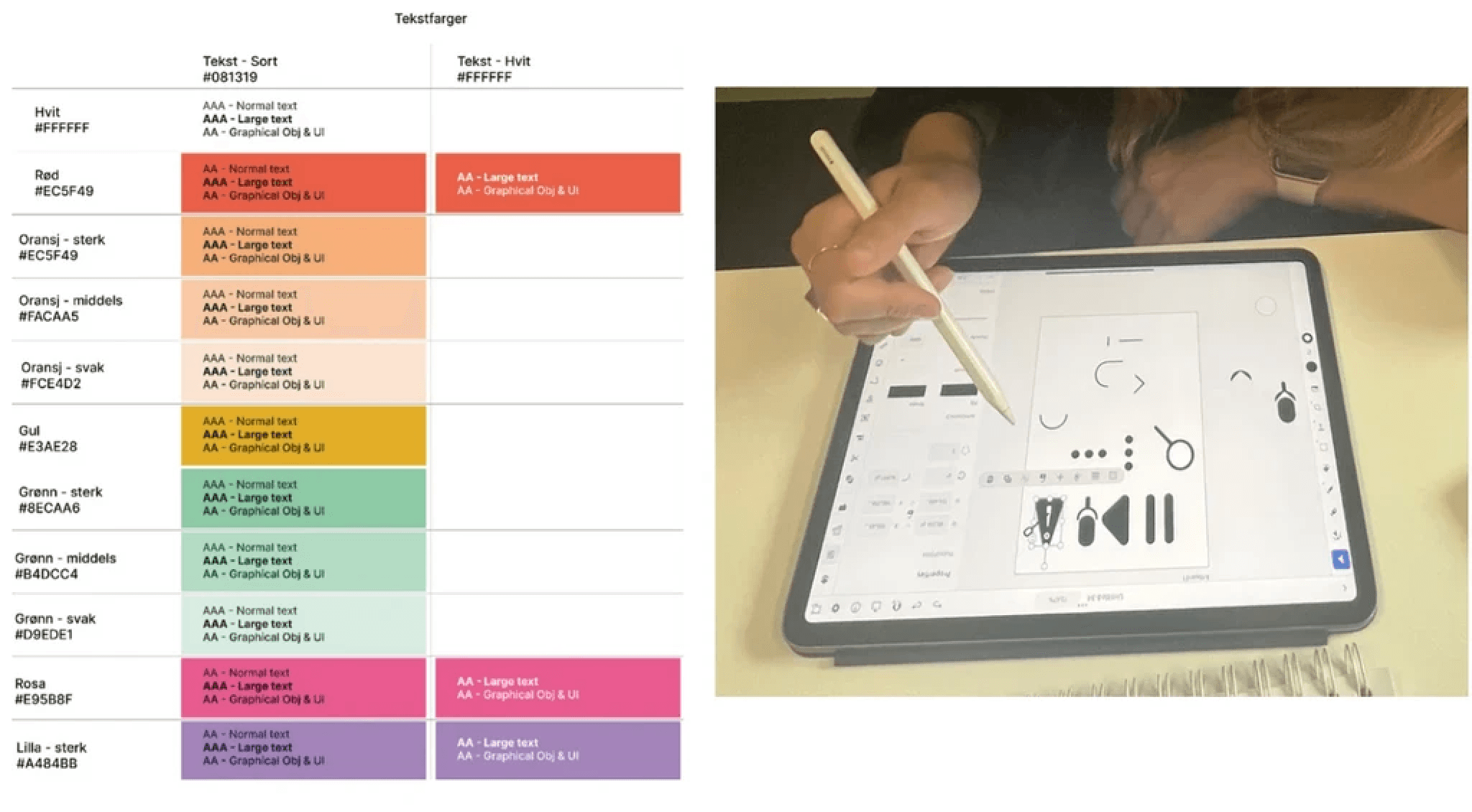
An overview of the complete design system (typography, colors, icons, components). The goal was to establish a consistent visual identity and design language that was fully accessible and independent of external component libraries.
This project strengthened my skills in: • Designing intuitive user flows for highly technical, specialized tasks (e.g., music notation). • Mastering the technique of early functional testing to mitigate downstream design rework. • Translating complex instructional requirements into clear, efficient interaction and visual design patterns. • Agile collaboration with designers and a large Scrum development team. Directional Insight: The value of immersive observation (e.g., spending a full day shadowing instructors) provided contextual insights that interviews alone could not yield.